Ghost Producer World started as a marketplace for exclusive, release-ready EDM tracks. Making those tracks every day, our producers kept running into the same small problems: a mix that needs more weight, a master that will not get loud without losing punch, a bass that fights the kick, a vocal that bites. So we started building our own tools. The result is GPW Plugins, a family of audio plugins for electronic music producers, each made to do one job well.
This guide covers every GPW plugin: what it does, who it is for, and where it fits in a session. One of them, GPW Heat, is free to download today. The others are in final testing and will be paid, at a small price announced at launch.
The GPW plugin family at a glance
- GPW Heat: free saturation plugin. One knob, four modes from clean to dirty. Available now.
- GPW Ghost Clip: converter-style mastering clipper with loudness metering.
- GPW Duck Shaper: sidechain and volume shaper driven by curves instead of a compressor.
- GPW Ultralift: one-knob build-up machine with ten effects and 24 build-ups.
- GPW Imager: stereo imager with simple and 4-band multiband modes.
- GPW De-Esser: two-band de-esser for sibilance and harsh high frequencies.
All of them are VST3 plugins for Windows, so they run in any DAW that hosts VST3: FL Studio, Ableton Live, Cubase, Studio One, Reaper, Bitwig and more. A macOS version is coming soon.
GPW Heat: free saturation plugin
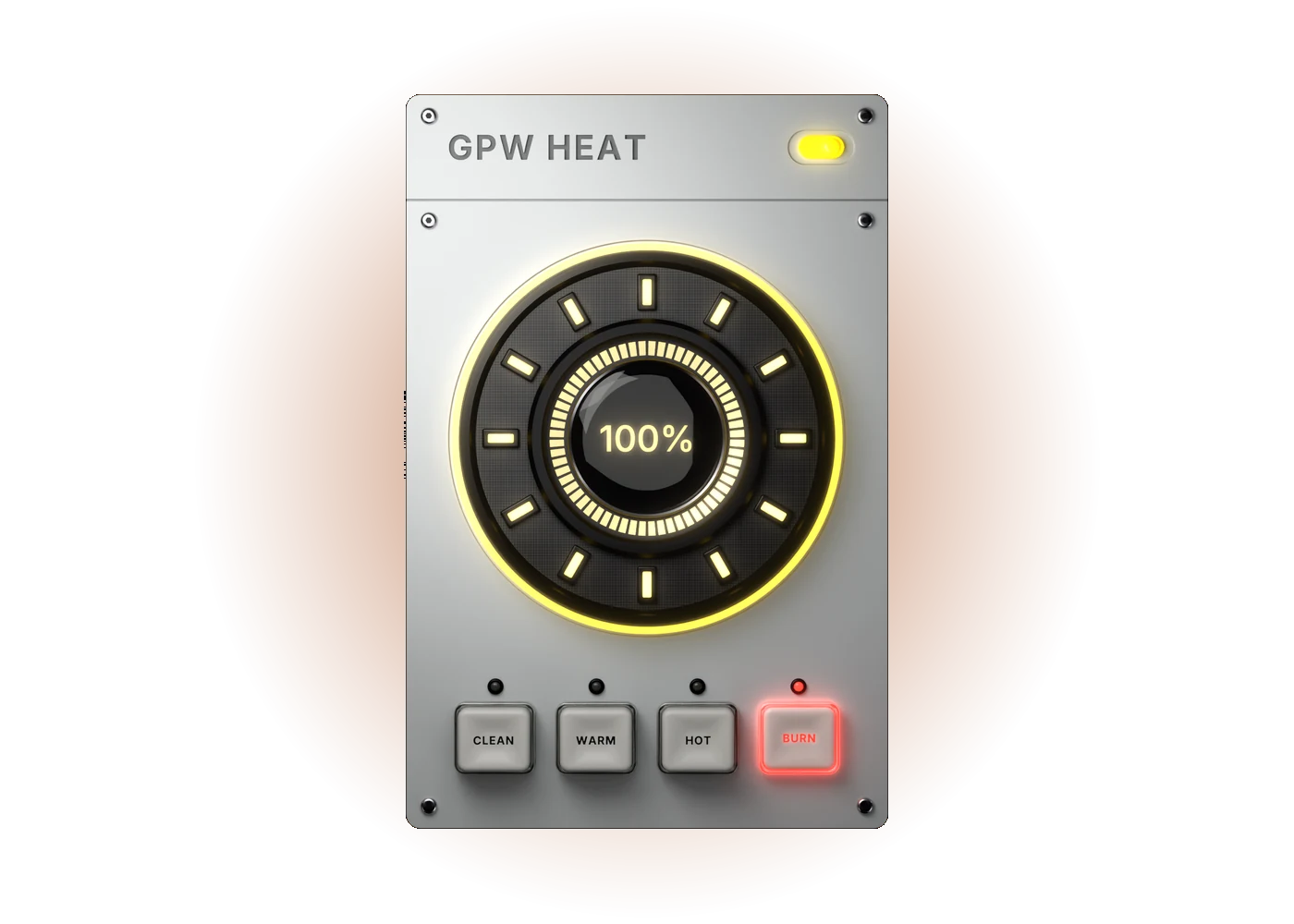
GPW Heat is the simplest plugin in the family and the first you can download. One HEAT knob takes a sound from dry (0 %) to fully driven (100 %), and four modes set the character:
- CLEAN: subtle console-style saturation for glue and gloss on buses and the master.
- WARM: soft, musical harmonics that round and thicken vocals, pads and bass.
- HOT: analog-style drive with bite for drums and leads.
- BURN: the thickest and dirtiest mode, with tube-style weight in the low mids.
Every mode is level-compensated, so turning HEAT up changes the colour and not the loudness: you judge the saturation, not the volume. It runs with 4x oversampling, crossfades between modes in 30 ms so automation never clicks, and updates itself when a new version comes out. Download GPW Heat for free.
GPW Ghost Clip: mastering clipper
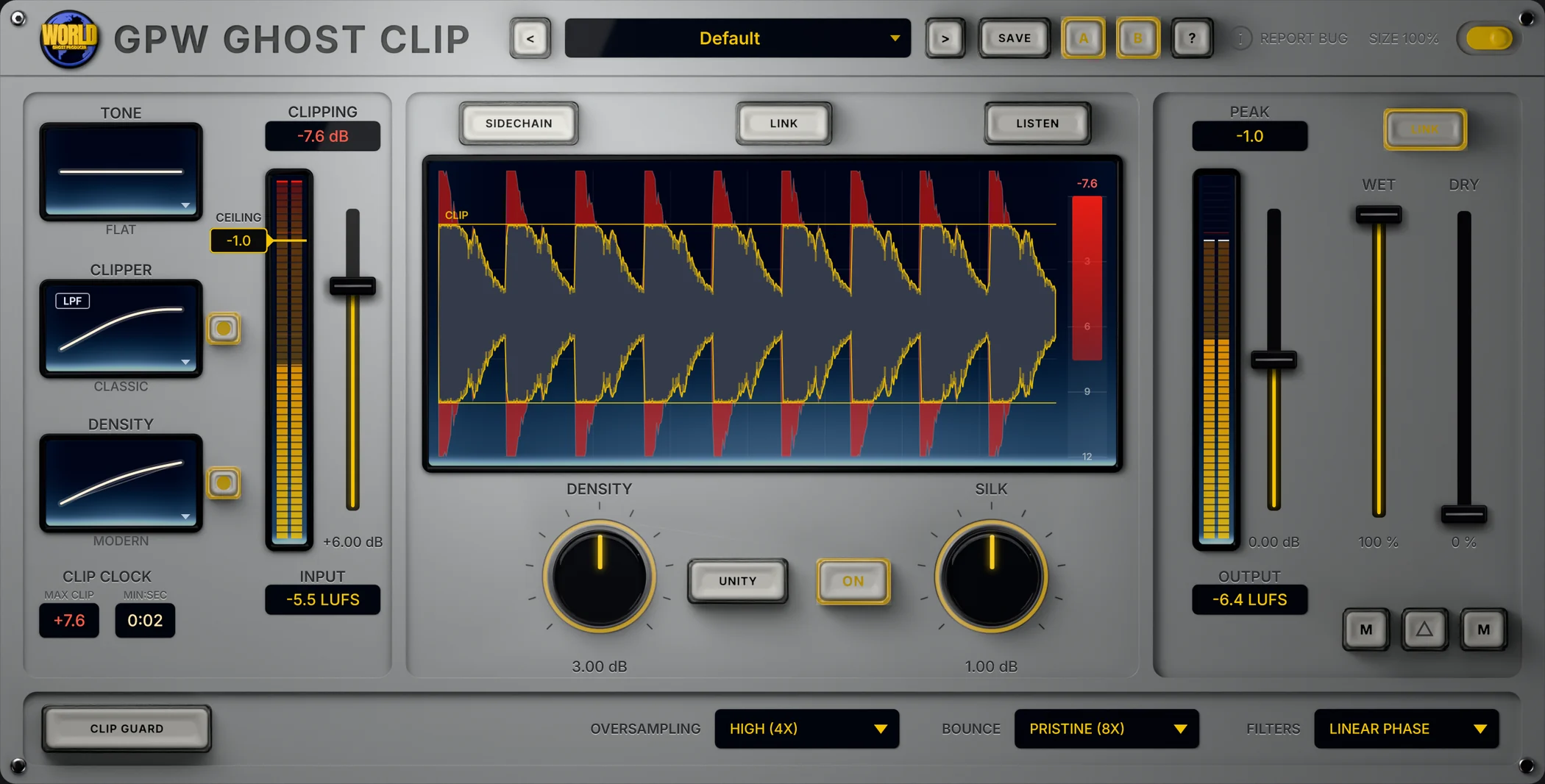
A clipper is the cleanest way to win loudness on a club master without squashing transients. GPW Ghost Clip is a converter-style clipper with three hand-tuned curves: Classic (soft knee, converter-overload character), Modern (lets the low end bloom) and Hard (clean right up to the ceiling), under a ceiling from −36 to 0 dB.
- DENSITY adds loudness without attack or release: quiet parts come up, peaks stay.
- SILK softens the highs as the signal reaches the ceiling.
- A sidechain band keeps the sub out of the clipper, so you clip the punch without touching the low end.
- A live clipping meter, a CLIP CLOCK that shows where the song clips hardest, and short-term LUFS in and out.
- 4x to 16x oversampling and 15 factory presets for mastering, mix bus, drums and vocals.
GPW Duck Shaper: sidechain and volume shaper
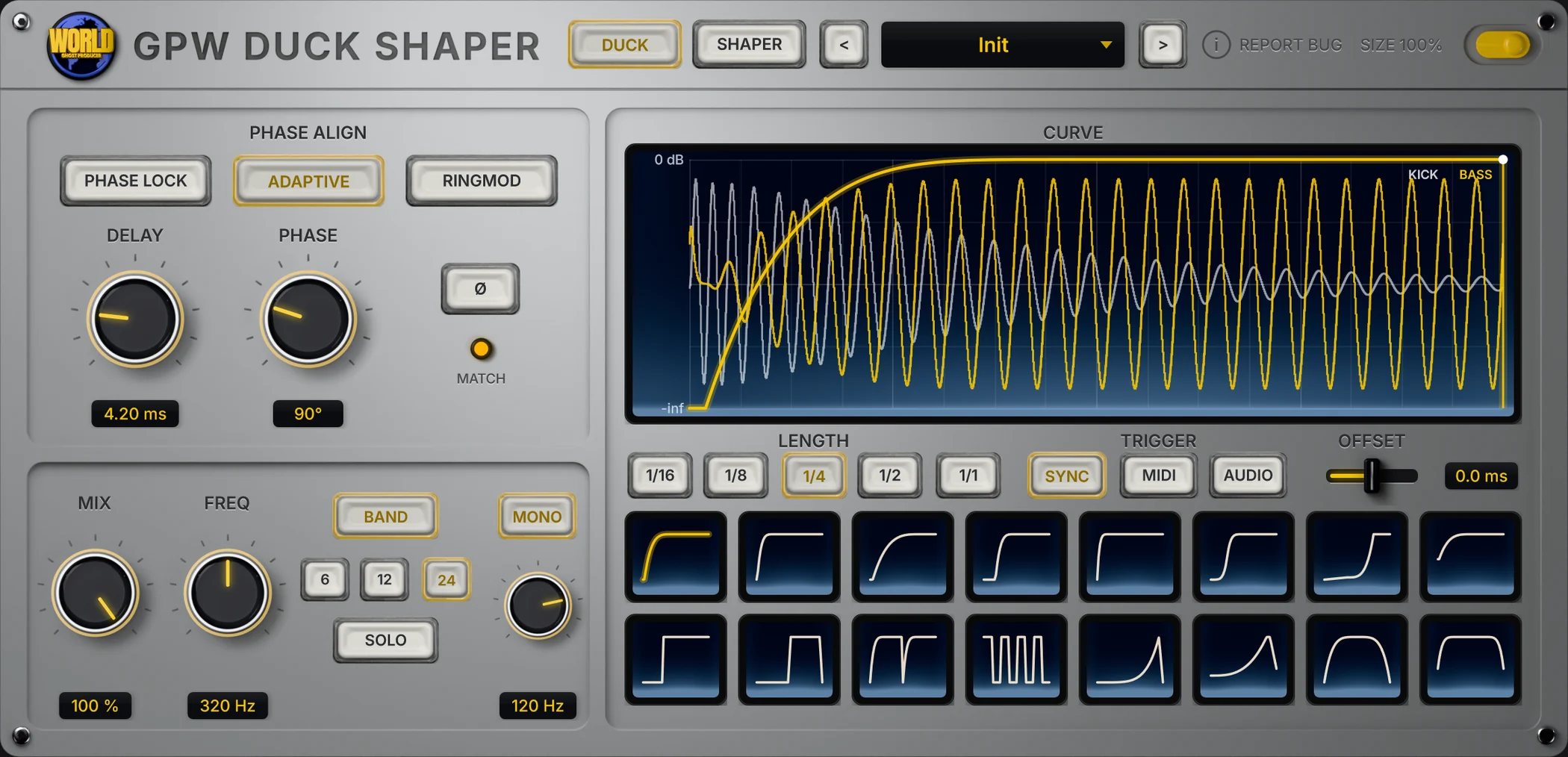
Sidechain compression reacts to the level of the kick, so the pump changes with the mix and needs routing. GPW Duck Shaper plays a curve instead: the depth and shape are exactly what you see on screen, locked to the tempo.
- DUCK tab: 16 built-in curves (pumps, cuts and swells), MIX, a duck you stretch on the screen, and Sync, MIDI or Audio triggers.
- BAND ducks only the low end, and MONO folds the sub to mono.
- PHASE ALIGN lines the bass up with the kick so their low ends add up instead of cancelling, with a one-click PHASE LOCK.
- SHAPER tab: a chain of Volume, Filter, Pan, Time, Noise and Crush modules with curves you draw, up to three bands each.
- 29 factory presets and zero latency in normal use.
GPW Ultralift: build-up machine
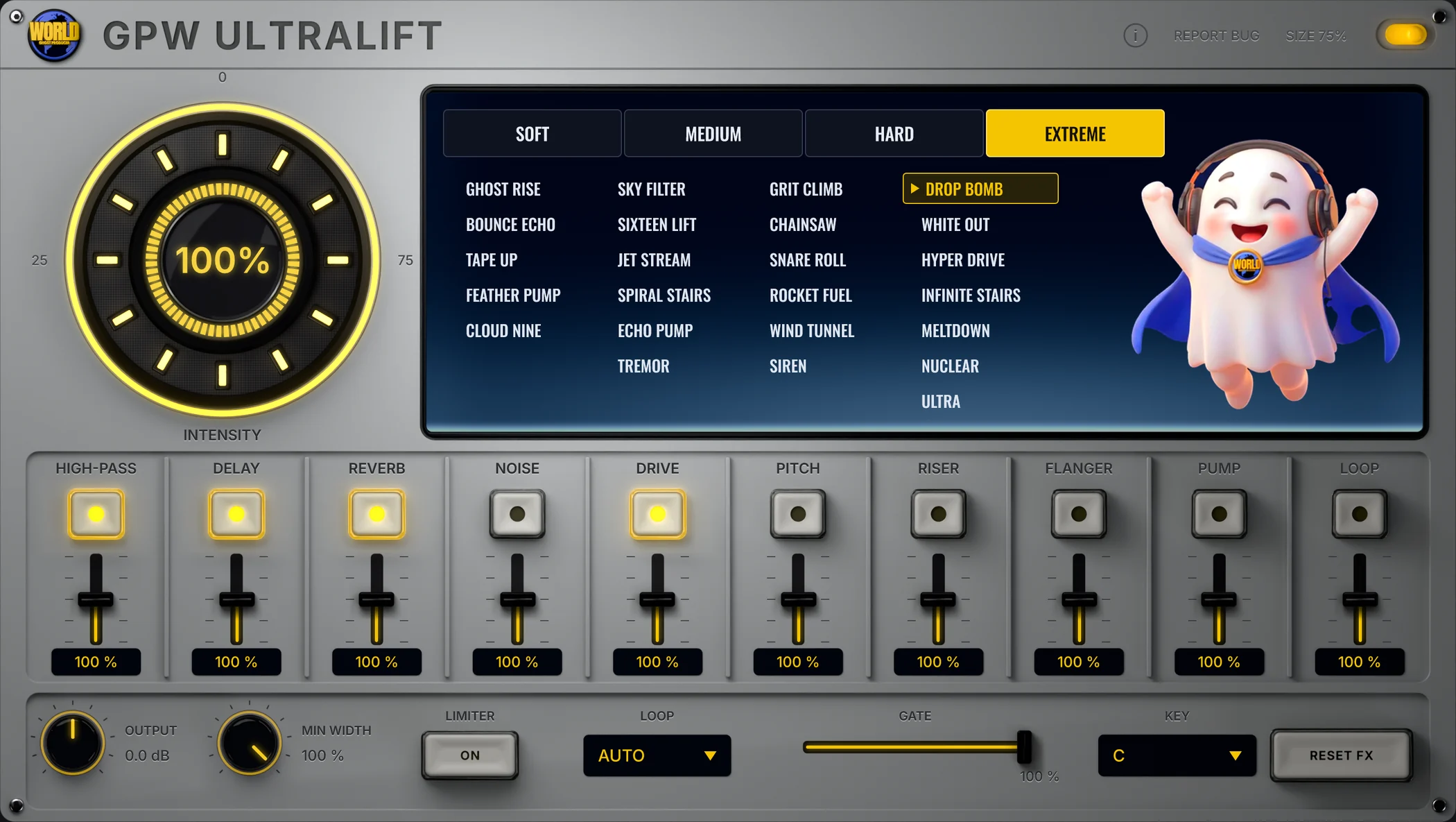
Building tension before a drop usually means automating five or six plugins at once. GPW Ultralift does it with one INTENSITY knob. Turn it from 0 to 100 % and up to ten effects rise together: high-pass, delay, reverb, noise, drive, pitch, a synth riser, flanger, pump and a beat-repeat loop.
- 24 build-ups in four groups, from Soft to Extreme, each with its own effects and curves.
- Every effect can be switched on or off per build-up, with its own POWER from 0 to 200 %.
- Echoes, flanger, pump and loop follow the host tempo; a limiter holds the peaks.
Put it on the group you want to lift, automate INTENSITY up to the drop, then back to 0 on the downbeat.
GPW Imager: stereo imager
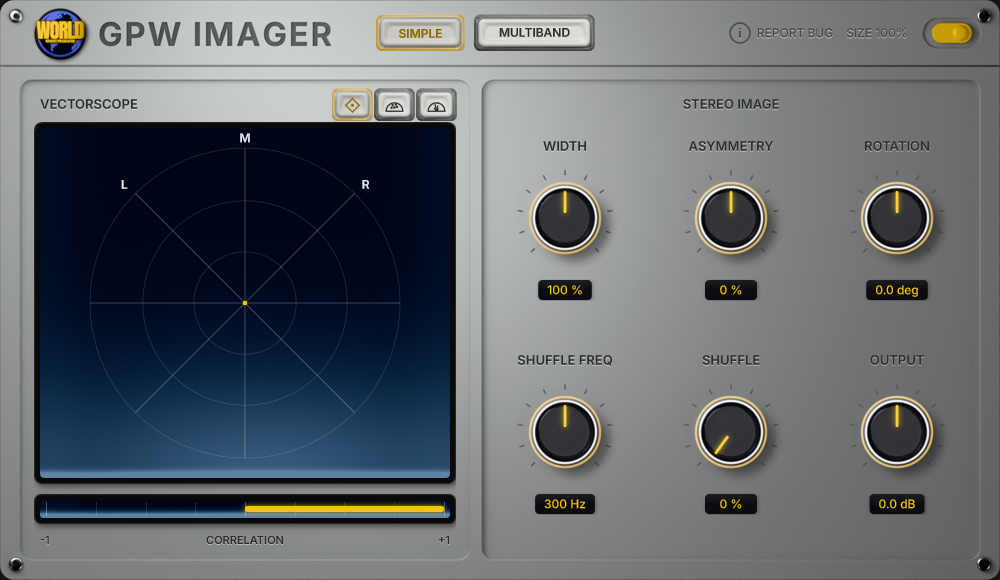
A wide mix sounds big on headphones and can collapse on a club system or a phone speaker. GPW Imager gives you control of the stereo field and shows every move on its vectorscope.
- SIMPLE tab: mid/side width from 0 to 200 %, asymmetry, rotation and a Blumlein-style shuffler.
- MULTIBAND tab: up to four bands, each with its own width, plus Stereoize, Recover Sides and a Transient/Sustain mode.
- LEARN listens to the input and places the crossovers for you.
- A three-view vectorscope and a 21-LED correlation meter to check mono compatibility.
GPW De-Esser: two-band de-esser
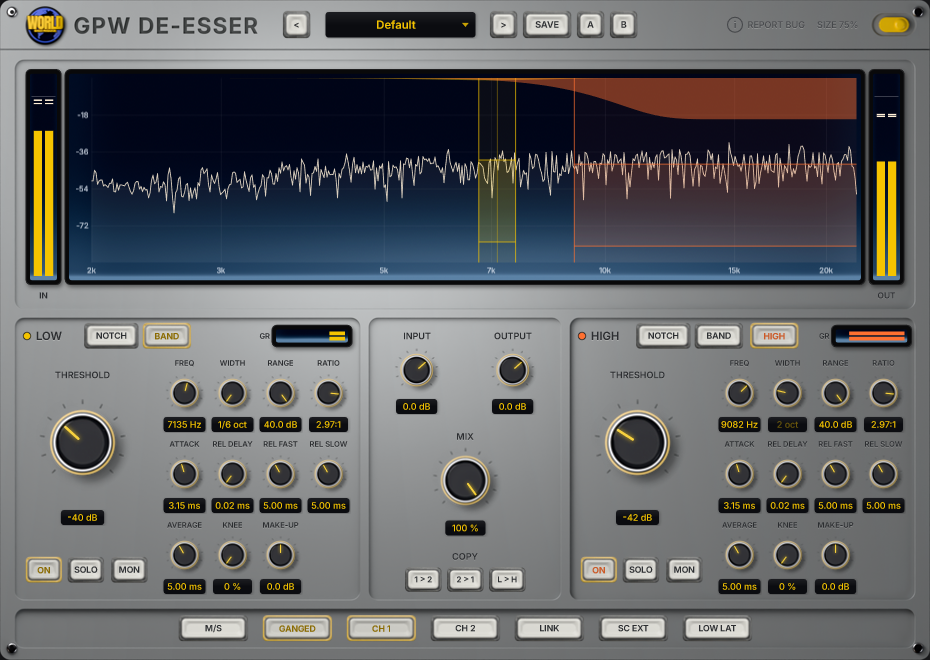
Keep the air, lose the sting. GPW De-Esser controls vocal sibilance, bright cymbals and harsh highs with two independent dynamic bands, both tunable from 2 to 20 kHz.
- The LOW band offers Notch and Band Pass filters; the HIGH band adds High Pass for broader control.
- Threshold, range, ratio, knee and independent timing on each band.
- Stereo or mid/side processing, SOLO to hear the band and MON to hear what is removed.
- External sidechain, parallel MIX, a low-latency mode, 10 factory presets and A/B.
Which GPW plugin do you need?
- Your sound is thin or lifeless: GPW Heat (free).
- Your master is not loud enough: GPW Ghost Clip.
- Your kick and bass fight: GPW Duck Shaper.
- Your build-ups feel flat: GPW Ultralift.
- Your mix is too narrow, or falls apart in mono: GPW Imager.
- Your vocal or top end is harsh: GPW De-Esser.
Frequently asked questions
Are GPW plugins free?
GPW Heat is free. The other plugins will be paid, at a small price announced at launch.
Which DAWs do GPW plugins work in?
They are VST3 plugins for Windows, so they work in any DAW that hosts VST3 plugins.
Is there a Mac version?
A macOS version is coming soon. On the GPW Heat page you can tick a box to be emailed the day it is out.
Why does Windows show a warning when I install GPW Heat?
We are completing Microsoft's validation for GPW plugins. Until it is done, Windows may show "Windows protected your PC" when you open the installer. Click More info, then Run anyway.
Do the plugins update themselves?
Yes. New versions arrive through the plugin itself, so you only download the installer once.