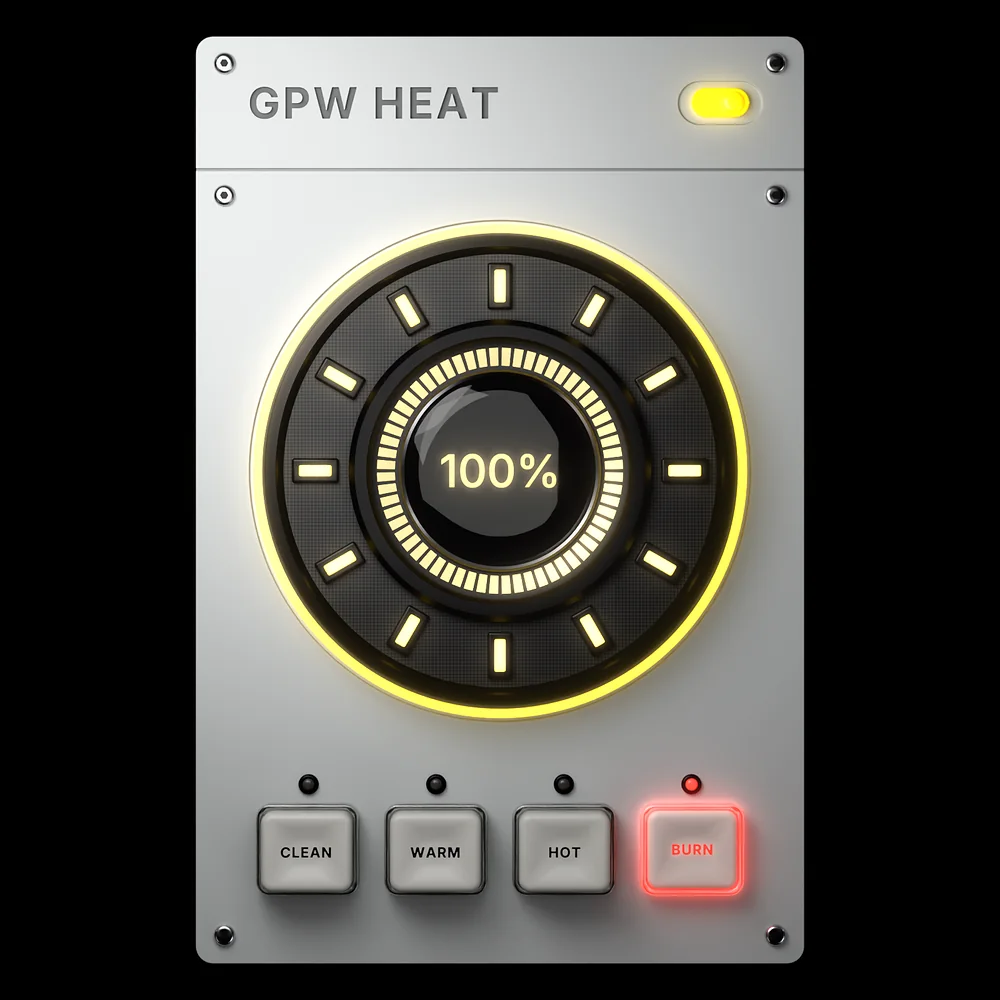
GPW Heat.Turn it up.
One knob, four flavours of saturation, from a clean glow to a full burn. Scroll to build it.
One knob
HEAT runs from 0, the dry signal, to 100 %, fully driven. Everything the plugin does lives on that dial.
Clean to dirty
Each key is its own saturator, tuned on real hardware references.
Colour, not volume
Every mode is level-compensated: turning HEAT up changes the tone, never the loudness. You hear the saturation, not a louder signal.
Glue and gloss
Subtle console-style saturation. The sound gets denser and shinier without ever sounding distorted. Made for buses and the master.
Round and thick
Soft, musical harmonics that fill a sound out and take the edge off. Great on vocals, pads and bass.
Real bite
Analog-style drive with attitude. Brings drums forward and makes leads cut through a busy drop.
All the way
The thickest, dirtiest mode, with a tube-style weight in the low mids. For sounds that have to be loud and in your face.
GPW HeatSimple on purpose.
No menus, no settings to dig through. Pick a mode, turn HEAT until it feels right, and move on with the track.
- HEAT0–100 %
Heat
The reactor in the middle. 0 is the dry signal; the first few percent fade the saturation in, so there is no jump when you start turning.
- MODE4 modes
Mode
CLEAN, WARM, HOT or BURN. Switching crossfades over 30 ms, so you can change mode while the track plays, or automate it, without a click.
- LEVELAutomatic
Level compensation
Every mode keeps its loudness as HEAT goes up, so you judge the colour and not the volume.
- QUALITY4x
Oversampling
The saturation runs at four times the sample rate, which keeps harsh aliasing out of the top end. The latency is reported to the DAW.
- MOREBypass
Power
The toggle in the corner bypasses the plugin with a smooth fade. The reactor stays lit so you still see where HEAT is.
- MORE50–150 %
Size
The whole faceplate scales from 50 to 150 %, saved with your project.
GPW Heat FAQ
Straight answers about what the plugin does and how to use it.
What is GPW Heat?
GPW Heat is a free saturation plugin (VST3, Windows) made by Ghost Producer World. It has one HEAT knob and four modes, from a gentle clean saturation to a thick, driven burn. Put it on anything that needs more weight, warmth or bite.
Which mode should I pick?
CLEAN adds glue and gloss without obvious distortion, good on buses and the master. WARM rounds and thickens, good on vocals, pads and bass. HOT has real bite for drums and leads. BURN is the thickest and dirtiest, for when a sound has to be loud and in your face. Set HEAT, then click through the four to hear which suits the sound.
Why does it not get louder when I turn HEAT up?
On purpose. Every mode is level-compensated, so HEAT changes the colour and not the volume. That way you judge the saturation itself, not the fact that louder always sounds better.
Does it add latency?
A little, from the 4x oversampling that keeps the saturation free of aliasing. The plugin reports it to the DAW, so delay compensation is automatic.
Is GPW Heat free?
Yes. GPW Heat is free. It is coming soon as a Windows VST3 (plus a Standalone app); leave your email to hear about the release first.
GPW Heat lands soon.
Free. Leave your email and we will tell you the day it is out.