GPW Ghost Clip.Loud you can see.
A converter-style mastering clipper with loudness you can see: three hand-tuned clipping curves, density, top-end smoothing and a sidechain band that never touches the sub.
Three hand-tuned curves
CLASSIC has a soft knee and the character of an overloaded converter, MODERN lets the low end bloom, HARD stays clean right up to the ceiling. The output never goes above the ceiling.
Loud, peaks untouched
No attack, no release: the quiet parts come up and the peaks stay where they are. Up to +2.5 dB in MODERN, up to +6 dB in CLASSIC. UNITY judges it at the same loudness.
No harsh bite
As the signal reaches the ceiling, SILK softens the highs above 3 kHz by up to about 4 dB. TONE adds a subtle high-end contour: FLAT, CLASSIC or MODERN.
Clip the punch, not the sub
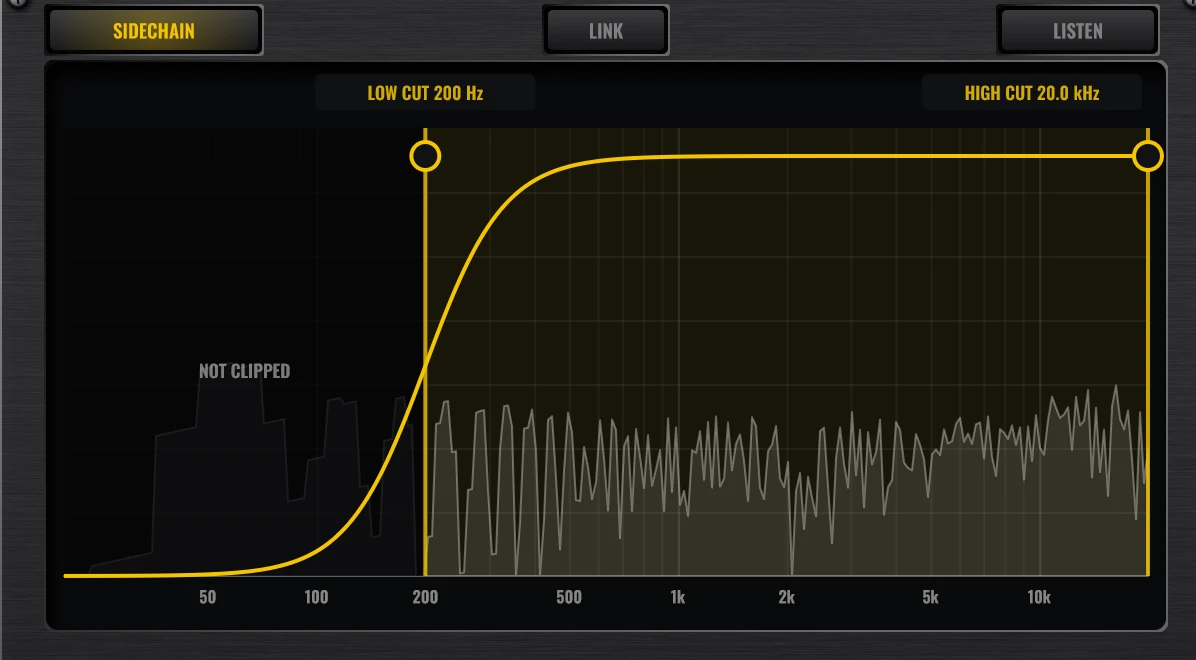
Pick which frequencies go into the clipper with LOW CUT and HIGH CUT, drawn over a live spectrum. LISTEN plays only the band being clipped.
GPW Ghost ClipEverything on screen.
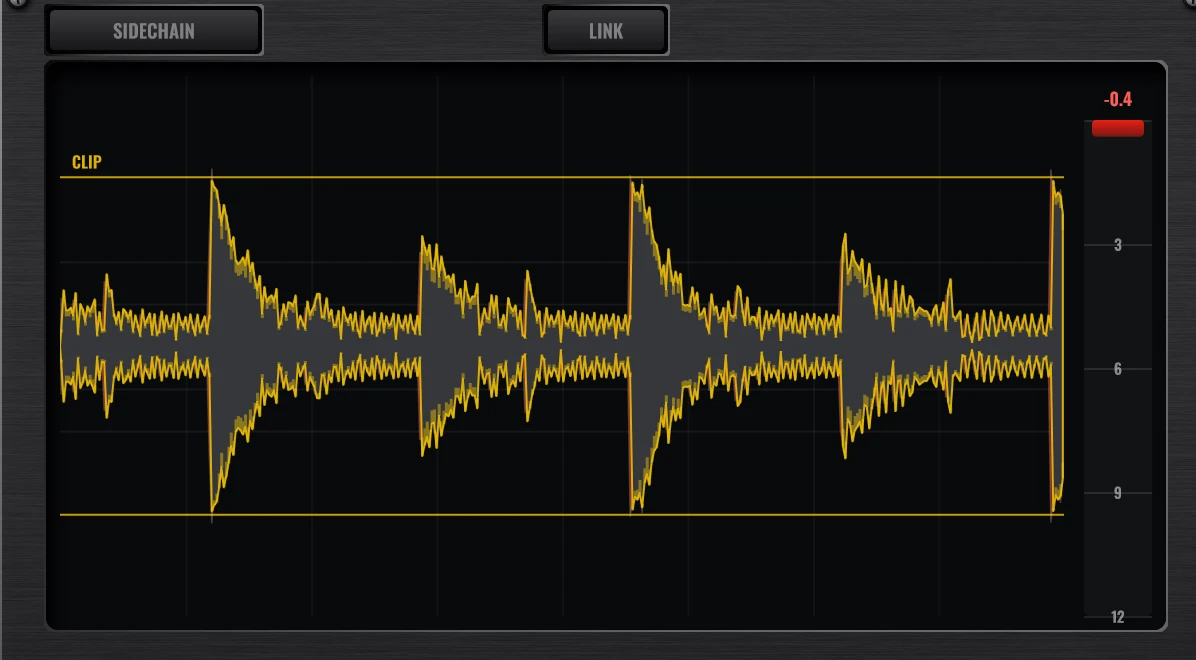
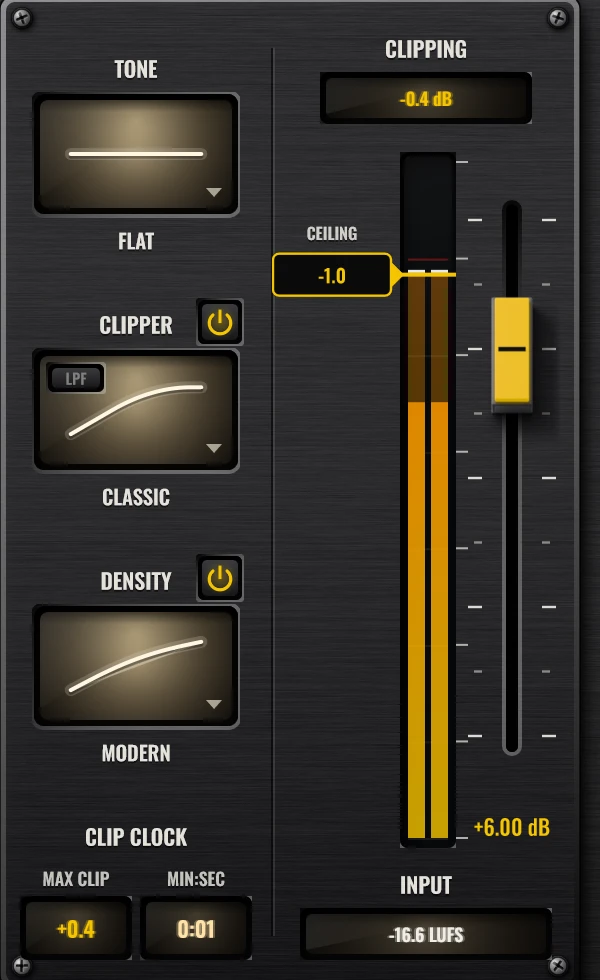
Everything you need to judge the clipping is in front of you: how many dB are being clipped right now, where the song clips hardest, what the clipper removed and short-term loudness in and out.
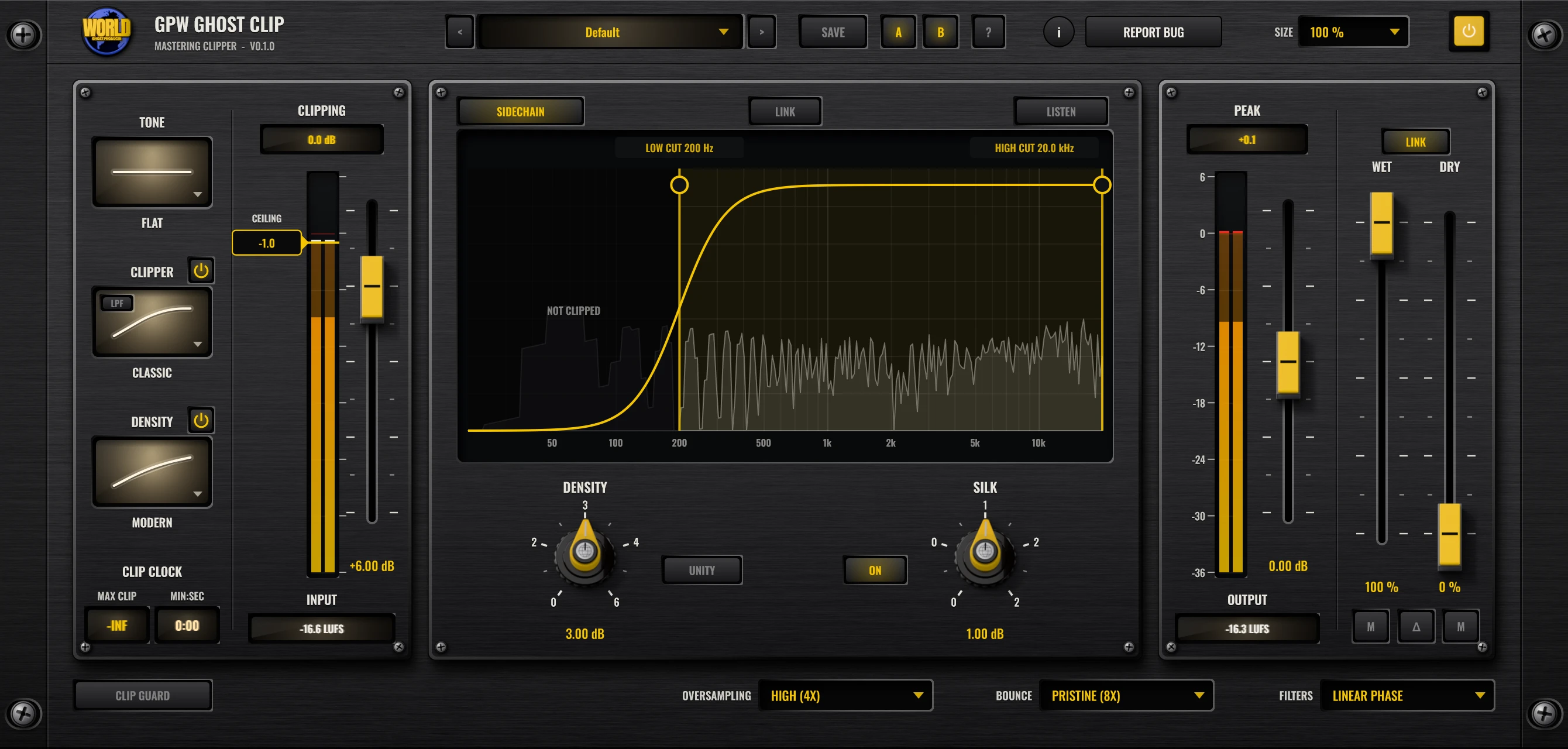
- CLIP−36 to 0 dB
Ceiling
From −36 to 0 dB, with anti-overshoot: the output never goes above it. CLIP GUARD holds it even with the clipper off.
- CLIP3 curves
Clipper
CLASSIC (soft knee, converter overload), MODERN (lets the low end bloom) or HARD (clean up to the ceiling), with its own power switch.
- CLIPUp to +6 dB
Density
Loudness without attack or release. The quiet parts come up, the peaks stay. UNITY compares at the same loudness.
- CLIPAbove 3 kHz
Silk
As the signal reaches the ceiling, the highs above 3 kHz soften by up to about 4 dB.
- CLIP3 contours
Tone
A subtle high-end contour before the clipper: FLAT, CLASSIC or MODERN.
- BANDLow / high cut
Sidechain
Only the band between LOW CUT and HIGH CUT goes into the clipper, drawn over a live spectrum. LISTEN solos it.
- METERLive dB
Clipping meter
A live meter in the screen and the CLIPPING readout show how many dB are being clipped right now, held for a second.
- METERMax · min:sec
Clip clock
The largest clip in the song and the minute:second where it happened, so you can go straight there and listen.
- METERReal time
Waveform screen
What the clipper removed (red), the output, and what DENSITY added, scrolling in real time.
- METERPeak · RMS · LUFS
Meters & LUFS
Input and output meters with peak and RMS, plus short-term LUFS in and out.
- MIXWet · dry · delta
Mixer
A true parallel mixer: WET and DRY faders, linked or independent, DELTA to hear only what changed, and mutes.
- MIX±12 dB
Trims
Input and output trims that can be linked. Shift-drag sets an offset between them.
- MORE4x · 8x · 16x
Oversampling
4x, 8x or 16x, with separate choices for playback and for bouncing, in linear or minimum phase.
- MORE15 + yours
Presets
15 factory presets (mastering, mix bus, drums, vocals, creative) plus your own, a default-preset star and A/B compare.
Up close
Backlit mode windows, a screen that shows what was clipped, and a sidechain EQ drawn over the spectrum.
GPW Ghost Clip FAQ
Straight answers about what the plugin does and how to use it.
What is GPW Ghost Clip?
GPW Ghost Clip is a free converter-style mastering clipper (VST3, Windows) made by Ghost Producer World. It pushes your mix into one of three hand-tuned clipping curves, then adds density, top-end smoothing and a sidechain band, and shows you exactly how much it is clipping.
Which clipper should I pick?
CLASSIC has a soft knee and the character of an overloaded converter, MODERN lets the low end bloom, and HARD stays clean right up to the ceiling. Set the CEILING, push the input until the CLIPPING readout shows a dB or two, and switch between them to hear which suits the track.
How do I keep the sub from being clipped?
Open SIDECHAIN and drag LOW CUT up, for example to 200 Hz. Only the band between LOW CUT and HIGH CUT goes into the clipper; the rest passes untouched, so the punch gets clipped and the sub stays clean. LISTEN plays only the band being clipped.
What do DENSITY and SILK do?
DENSITY adds loudness without attack or release: the quiet parts come up and the peaks stay where they are (up to +2.5 dB in MODERN, up to +6 dB in CLASSIC). UNITY lets you judge it at the same loudness. SILK softens the highs above 3 kHz by up to about 4 dB as the signal reaches the ceiling, which takes the harsh bite out of loud moments.
Does it add latency?
About 393 samples at 48 kHz with the default oversampling (High, 4x). The plugin reports it to the DAW, so delay compensation is automatic. Oversampling can be 4x, 8x or 16x, with a separate setting for bouncing, in linear or minimum phase.
Is GPW Ghost Clip free?
Yes. Every GPW plugin is free. GPW Ghost Clip is coming soon as a Windows VST3 (plus a Standalone app), with one-click updates from inside the plugin; leave your email to hear about the release first.
GPW Ghost Clip lands soon.
Free, like every GPW plugin. Leave your email and we will tell you the day it is out.